
=== WordPress Importer === Contributors: wordpressdotorg Donate link: https://wordpressfoundation.org/donate/ Tags: importer, wordpress Requires at least: 5.2 Tested up to: 6.4.2 Requires PHP: 5.6 Stable tag: 0.8.2 License: GPLv2 or later License URI: https://www.gnu.org/licenses/gpl-2.0.html Import posts, pages, comments, custom fields, categories, tags and more from a WordPress export file. == Description == The WordPress Importer will import the following content from a WordPress export file: * Posts, pages and other custom post types * Comments and comment meta * Custom fields and post meta * Categories, tags and terms from custom taxonomies and term meta * Authors For further information and instructions please see the [documention on Importing Content](https://wordpress.org/support/article/importing-content/#wordpress). == Installation == The quickest method for installing the importer is: 1. Visit Tools -> Import in the WordPress dashboard 1. Click on the WordPress link in the list of importers 1. Click "Install Now" 1. Finally click "Activate Plugin & Run Importer" If you would prefer to do things manually then follow these instructions: 1. Upload the `wordpress-importer` folder to the `/wp-content/plugins/` directory 1. Activate the plugin through the 'Plugins' menu in WordPress 1. Go to the Tools -> Import screen, click on WordPress == Changelog == = 0.8.2 = * Update compatibility tested-up-to to WordPress 6.4.2. * Update doc URL references. * Adjust workflow triggers. = 0.8.1 = * Update compatibility tested-up-to to WordPress 6.2. * Update paths to build status badges. = 0.8 = * Update minimum WordPress requirement to 5.2. * Update minimum PHP requirement to 5.6. * Update compatibility tested-up-to to WordPress 6.1. * PHP 8.0, 8.1, and 8.2 compatibility fixes. * Fix a bug causing blank lines in content to be ignored when using the Regex Parser. * Fix a bug resulting in a PHP fatal error when IMPORT_DEBUG is enabled and a category creation error occurs. * Improved Unit testing & automated testing. = 0.7 = * Update minimum WordPress requirement to 3.7 and ensure compatibility with PHP 7.4. * Fix bug that caused not importing term meta. * Fix bug that caused slashes to be stripped from imported meta data. * Fix bug that prevented import of serialized meta data. * Fix file size check after download of remote files with HTTP compression enabled. * Improve accessibility of form fields by adding missing labels. * Improve imports for remote file URLs without name and/or extension. * Add support for `wp:base_blog_url` field to allow importing multiple files with WP-CLI. * Add support for term meta parsing when using the regular expressions or XML parser. * Developers: All PHP classes have been moved into their own files. * Developers: Allow to change `IMPORT_DEBUG` via `wp-config.php` and change default value to the value of `WP_DEBUG`. = 0.6.4 = * Improve PHP7 compatibility. * Fix bug that caused slashes to be stripped from imported comments. * Fix for various deprecation notices including `wp_get_http()` and `screen_icon()`. * Fix for importing export files with multiline term meta data. = 0.6.3 = * Add support for import term metadata. * Fix bug that caused slashes to be stripped from imported content. * Fix bug that caused characters to be stripped inside of CDATA in some cases. * Fix PHP notices. = 0.6.2 = * Add `wp_import_existing_post` filter, see [Trac ticket #33721](https://core.trac.wordpress.org/ticket/33721). = 0.6 = * Support for WXR 1.2 and multiple CDATA sections * Post aren't duplicates if their post_type's are different = 0.5.2 = * Double check that the uploaded export file exists before processing it. This prevents incorrect error messages when an export file is uploaded to a server with bad permissions and WordPress 3.3 or 3.3.1 is being used. = 0.5 = * Import comment meta (requires export from WordPress 3.2) * Minor bugfixes and enhancements = 0.4 = * Map comment user_id where possible * Import attachments from `wp:attachment_url` * Upload attachments to correct directory * Remap resized image URLs correctly = 0.3 = * Use an XML Parser if possible * Proper import support for nav menus * ... and much more, see [Trac ticket #15197](https://core.trac.wordpress.org/ticket/15197) = 0.1 = * Initial release == Frequently Asked Questions == = Help! I'm getting out of memory errors or a blank screen. = If your exported file is very large, the import script may run into your host's configured memory limit for PHP. A message like "Fatal error: Allowed memory size of 8388608 bytes exhausted" indicates that the script can't successfully import your XML file under the current PHP memory limit. If you have access to the php.ini file, you can manually increase the limit; if you do not (your WordPress installation is hosted on a shared server, for instance), you might have to break your exported XML file into several smaller pieces and run the import script one at a time. For those with shared hosting, the best alternative may be to consult hosting support to determine the safest approach for running the import. A host may be willing to temporarily lift the memory limit and/or run the process directly from their end. -- [Support Article: Importing Content](https://wordpress.org/support/article/importing-content/#before-importing) == Filters == The importer has a couple of filters to allow you to completely enable/block certain features: * `import_allow_create_users`: return false if you only want to allow mapping to existing users * `import_allow_fetch_attachments`: return false if you do not wish to allow importing and downloading of attachments * `import_attachment_size_limit`: return an integer value for the maximum file size in bytes to save (default is 0, which is unlimited) There are also a few actions available to hook into: * `import_start`: occurs after the export file has been uploaded and author import settings have been chosen * `import_end`: called after the last output from the importer import { Heading, Text } from '@elementor/app-ui'; import ConditionsProvider from '../../context/conditions'; import { Context as TemplatesContext } from '../../context/templates'; import ConditionsRows from './conditions-rows'; import './conditions.scss'; import BackButton from '../../molecules/back-button'; export default function Conditions( props ) { const { findTemplateItemInState, updateTemplateItemState } = React.useContext( TemplatesContext ), template = findTemplateItemInState( parseInt( props.id ) ); if ( ! template ) { return
{ __( 'Not Found', 'elementor-pro' ) }
; } return (
{ { __( 'Where Do You Want to Display Your Template?', 'elementor-pro' ) } { __( 'Set the conditions that determine where your template is used throughout your site.', 'elementor-pro' ) }
{ __( 'For example, choose \'Entire Site\' to display the template across your site.', 'elementor-pro' ) }
history.back()} />
); } Conditions.propTypes = { id: PropTypes.string, }; 頭金不要 追加条件 2026 – App do Ben

頭金不要 追加条件 2026

Compartilhe essa notícia

Amatic、Spinomenal、Ezugi、Authentic Betting、GameArt、 heart of vegas スロット フリー スピン Pariplay、Wazdanなどのゲームが提供されています。また、多数の言語や通貨オプションから選択でき、そのカジノでモバイルでプレイするかどうかも選択できます。この新しいローカルカジノは、さまざまな支払い方法、一流のボーナスセットも提供しており、40以上のアプリ会社からオンラインゲームを選べます。新しいスポーツイベントタブでは、人気のあるチームや試合に賭けることができ、さらにさまざまなスポーツイベントも楽しめます。通常のフリースピンボーナス、コンテスト、宝くじ、キャッシュバックオファーは、今すぐAll Right Gambling Businessでプレイすれば利用できます。

賭け金の基準、最低入金額、最大出金金額を確認し、最低ゲーム数にも注意してください。カジノの入会ボーナスを受け取る前に、必ず新しい用語を確認してください。そこに重要な情報がすべて隠されているからです。正しい方法を使えば、賭け金をより早くクリアし、プレイ時間を延ばし、ボーナス資金を実際のお金に換えることができます。新しいオンラインカジノ戦略を強化するには、それを受け取るだけでなく、それをどのように使うかが重要です。

現在、特定の無料ギャンブルは、過去の事例はごくわずかしか提供されていませんが、数日間は引き続き利用可能です。実際の賭け条件、長い有効期限、そして有効な出金限度額を備えた劣悪なオファーは、制限条件付きの巨額のボーナスよりも価値が高い可能性があります。新しいオファーでは、提示されたボーナス額だけに注目するのではなく、重要な基準を比較検討するのに役立つ多くの情報が明らかにされています。

カジノのボーナス特典にはすべて小さな文字で記載されています。米国では賭け金の少ないカジノは珍しいですが、最低賭け金のオプションは存在し、探す価値があります。登録を完了する前に、表示されているとおりにパスワードと資金提供元のメールアドレスを入力してください。多くの運営会社は、ライブブラックジャックやライブルーレットで対象となる賭けを行うことで、カジノクレジット、フリースピン、またはキャッシュバック報酬を獲得できるキャンペーンを実施しています。

最新のカジノ特典コード
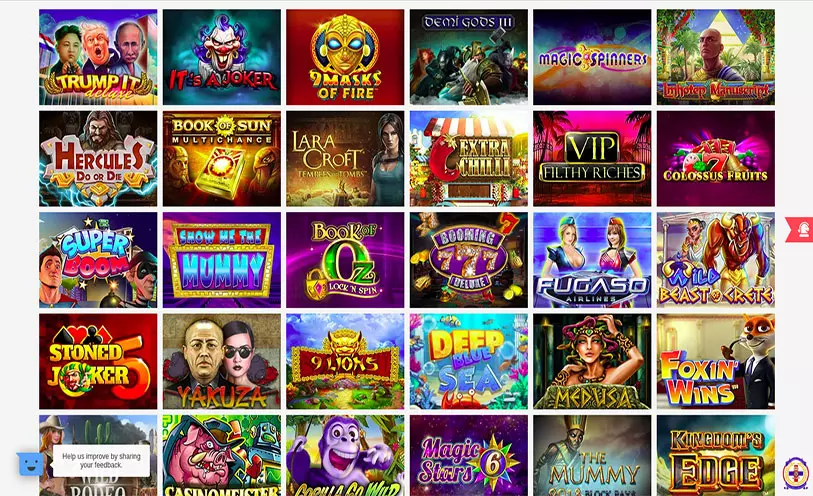
virgin games casino online slots

これらの細かい条項を理解することで、予期せぬ制約を回避する際にプロモーションから最大限の価値を得ることができます。オンラインカジノの特典は魅力的に見えるかもしれませんが、どの特典にも、特典資金をどのように、いつ使用できるかを決定するための法律が伴います。あなたがトップローラーで、その貢献度に応じてより多くの特典を希望する場合は、VIPプログラムを探してオファーを受けることができます。これは常に100%フリースピンまたはプレイ可能なゲームです。モバイルブラウザを使用してプラットフォームにサインインするか、新しいアプリをダウンロードした場合(該当する場合)、広告セクションを参照して個人向けオファーを見つけてください。したがって、特定のプラットフォームにログインすると、推薦フックまたはパスワードを作成して、家族に送信する機会が得られます。

セキュリティと安全

イギリスのプレイヤーは、世界的に見ても知識豊富なオンラインカジノにアクセスできると言えるでしょう。オンラインカジノのボーナスや特典は、評価の高いギャンブル会社から選ぶのが常に最善です。ギャンブル会社は通常、最初の出金を許可する前に、KYC(顧客確認)手続きを行うよう求めます。上記の追加条件に加えて、他にも注意すべき点がいくつかあります。他にも注意すべき重要なボーナスの細かい条項がいくつかあります。

プレイヤーは、Starburst、Gonzo's Journey、Immortal Romanceなどの人気タイトルを含む、多種多様なスロットゲームを楽しむことができます。問題なのは、除外されたスロットのリストが50以上のタイトルで、最も人気のあるオンラインゲームのいくつかが動作プラットフォームにある場合です。西洋のプレイヤーは、Real time Gambling、Betsoft、Saucify、Bodogプログラムに基づいて、海外のカジノボーナスコードの深いネットワークにアクセスできます。これらのタイプの米国カジノボーナスルールにより、追加の資金、リボルビング、またはその他の特別な報酬にアクセスできます。新しい細かい条項は、最高のオンラインカジノボーナスのいくつかを有効または無効にする傾向があります。米国で最高のオンラインカジノボーナスを閲覧し、受け入れパッケージから、入金不要ボーナスやフリースピンへのリロード提案を見つけることができます。

コメント全体を通して、これらのタイプの責任ある賭けがプレイヤーのアカウントセクションで利用可能になっていることがわかりました。制限、損失制限、例の日付リマインダー、一時的な休暇、その他のオプションが設定されています。理論上のプロへの還元率(RTP)はすべてのゲームで公開されているため、プレイヤーはどのタイトルを試すかについて賢明な選択を行うことができます。セキュリティとは、個人情報、経済情報、およびゲームへの関心が非公開で、不正アクセスからより安全に保たれることを意味します。

gta online casino xbox

ギャンブル企業Brangoは、2026年8月中に選択できる6つの入金不要ボーナスコードを新規プレイヤーに提供しています。賭け条件を満たさない場合、ボーナスは没収され、そこから得られる可能性のある配当も受け取れません。ボーナスを受け取る前に賭け条件を理解し、指定された期間内に条件を満たすことが重要です。これらのオンラインゲームの制限に関する情報は、お気に入りのゲームに最適なボーナスを選択するのに役立ち、オファーを最大限に活用できるようにします。プレイヤーは、他のボーナスの統合、ゲームの制限、賭け条件を満たさなかった場合に何が起こるかについてよく質問します。

オールライトカジノの入金ボーナスと追加フリースピン

同様に、Bovada Localカジノには、迅速な出金や追加のリロード特典などのメリットがあるレッドスペースと呼ばれるVIPシステムがあります。多くの点で、プログラムは、レベルの高い参加者により迅速なサポート機能へのアクセスを提供します。次に、最適なボーナスオファーの選び方、資金管理、およびコミットメントプログラムの利用方法について説明します。賭け条件が低いボーナスを選ぶと、ボーナス資金を引き出し可能な資金に簡単に変換できます。賭け条件が低いボーナスを慎重に探すことで、追加資金を引き出し可能な資金に簡単に変換できます。オンラインローカルカジノのボーナスを受け取るには、ゲーム体験を向上させるためのいくつかの簡単な手順があります。

特定のカジノのウェルカムボーナスには、特定の手数料規定によって制限がある場合があることを詳しくご説明しておきます。ハイローラー向けのカジノボーナスは、資金を最大限に活用したいと考えている熱心なプレイヤーに最適です。これらは多くの場合、マッチボーナスの形で提供され、最低入金額が高く、ボーナス率も非常に高いのが特徴です。